
Montgomery County Traffic Court Records
Montgomery County has one District Court on the official list: the Mount Ida Department of the 24th State District Court. In Search ARCourts it appears under the label "MONTGOMERY TRAFFIC/CRIMINAL DIVISION" with the case type "COUNTY DOCKET TRAFFIC/CRIMINAL." No separate municipal court exists for Mount Ida, Norman, Oden, or Black Springs.
Chief Clerk Crystal Carlton keeps the District Court file at 105 Highway 270 East, #2, Mount Ida. The records counter is not the courtroom. District proceedings happen at 225 Fairground Road. That split matters if you need both a copy and an appearance. Call 870-867-2221 before traveling to confirm the right stop and the current setting.
Montgomery County Traffic Docket Portal
Montgomery County traffic cases run through two separate state systems. Search ARCourts is the public lookup side. It shows charge details, participant roles, court events, offenses, any disposition and sentence, and docket entries when the court files them. For the money side, Arkansas eTraffic finds eligible citations. It handles payment or established payment plans in participating courts.
The official eTraffic start page lays out the statewide payment path. That path applies to eligible Montgomery County traffic tickets.
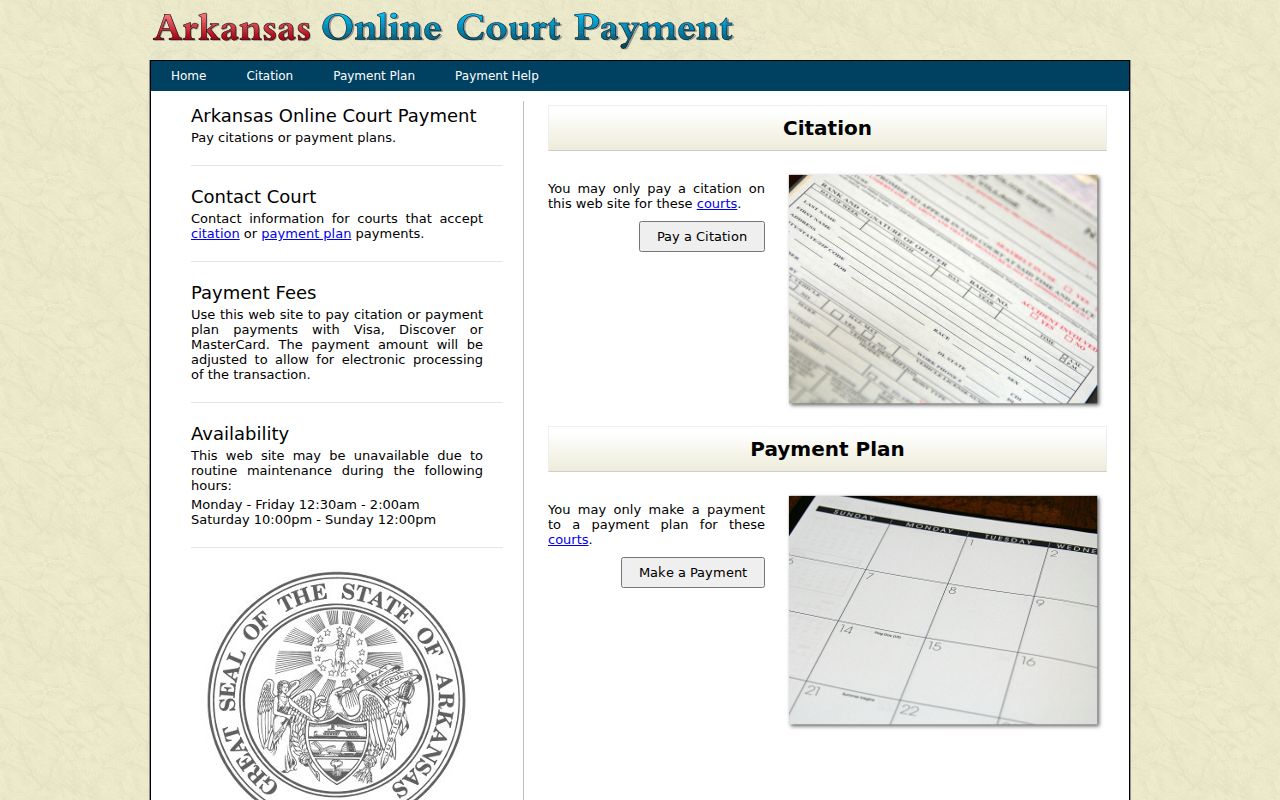
A payment screen is no substitute for a docket review. Search ARCourts tells the case story, while eTraffic handles one narrow payment task.
Looking Up a Traffic Ticket
Use the court and identifiers printed on the citation itself. On eTraffic, pick Mt Ida or Montgomery County District Court. Then enter the names plus the citation number. Or enter the driver's-license or state-ID number with the date of birth in MM-DD-YYYY format. An established plan follows its own payment-plan-number route.
- Read the citation and identify the issuing court and response date.
- Search eTraffic with the name and citation number for payment eligibility.
- Search Search ARCourts for the case docket, events, offense, and disposition.
- If no result appears, call 870-867-2221 or visit the District clerk's Suite #2 counter.
- Confirm date, place, response method, and current amount with the court before acting.
| Field | Type | Required | Format or Logic |
|---|---|---|---|
| Court | Dropdown | Yes in practice | Select Mt Ida or Montgomery County District Court. |
| First and Last Name | Text | Yes | Use the names printed on the citation. |
| Citation Number | Text | Alternative | Use with first and last name. |
| License or State ID Number | Text | Alternative | Use with names and date of birth. |
| Date of Birth | Date or text | Conditional | MM-DD-YYYY on the ID route. |
| Payment-Plan Number | Text | Alternative | For an established scheduled plan. |
The official citation query displays those eTraffic search fields.
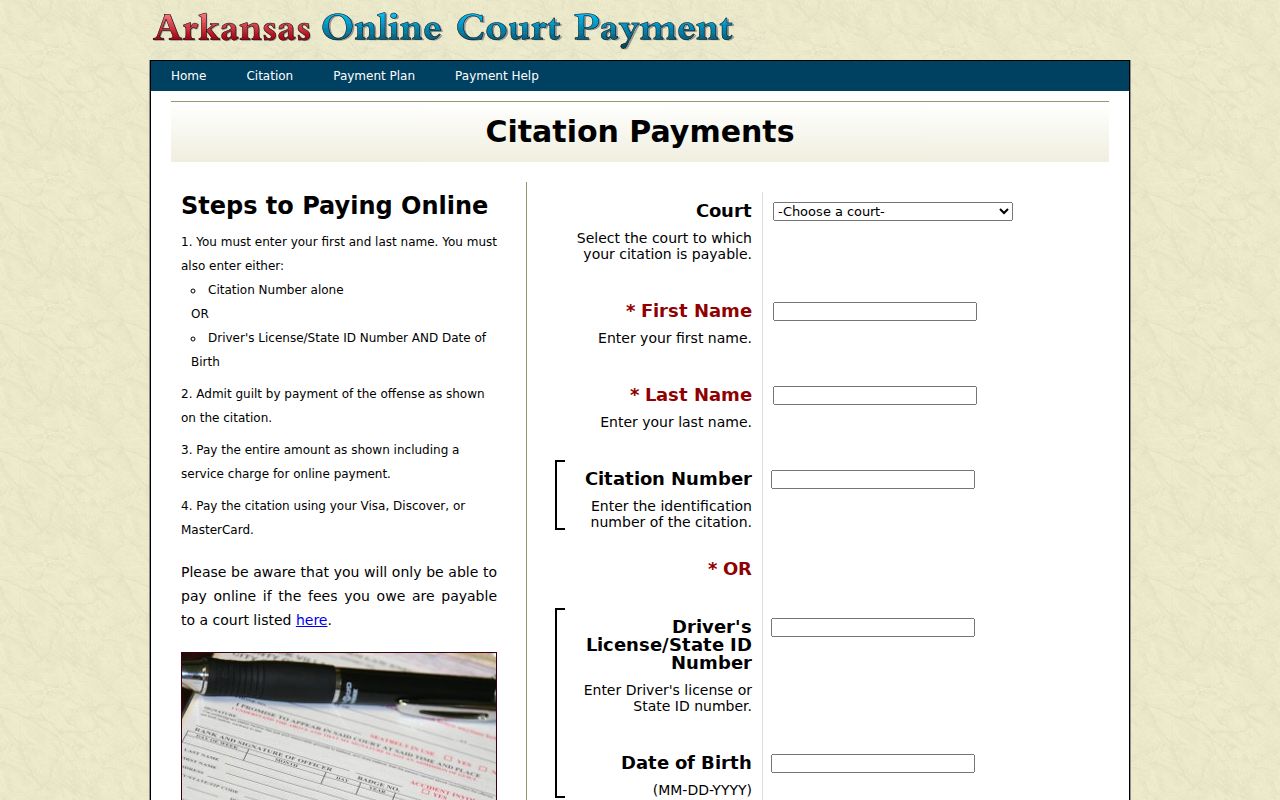
No paper ticket in hand? The identity route still works. If the case stays absent, contact the clerk.
New Montgomery County Traffic Tickets
A new citation can take up to one week to reach eTraffic. A blank result in that window does not cancel the printed deadline. Check your spelling, the citation number, and the court selection. Then call the District Court clerk instead of waiting past the response date.
The portal goes down for maintenance Monday through Friday from 12:30 to 2:00 a.m., and from Saturday at 10:00 p.m. through Sunday noon. A failed search during those hours may simply be technical. An appearance-required charge, a different entry format, or a ticket not yet entered can also leave no payment result.
How to Find Your Traffic Court Date
Start with the date and court printed on the citation. Then pull up the case in Search ARCourts and read the newest event. Old plea or arraignment dates can linger in the history after a continuance. Call the District Court clerk. Ask for the date, time, setting type, courtroom, and whether anything has changed.
| Case Number | A local inspected format was MIS-25-54; copy the identifier shown on the actual case. |
|---|---|
| Citation Number | The issuing citation's identifier; the observed local pattern began with digits and letters. |
| Court | Montgomery Traffic/Criminal Division in the Mount Ida District Court channel. |
| Date and Time | The newest scheduled event, subject to clerk confirmation. |
| Location | Confirm 225 Fairground Road for District proceedings rather than the Highway 270 clerk suite. |
| Status | Read with all later docket entries and the disposition. |
Recheck the docket close to the appearance date after a continuance, amended notice, weather issue, or any other calendar change.
Montgomery County Traffic Docket Entries
A Montgomery County traffic docket entry can include a case summary, participants by role, offenses, sentence data, and docket entries. Local labels seen in this court include ELECTRONIC CITATION FILED, PLEA & ARRAIGNMENT CONTINUED, PLEA & ARRAIGNMENT SCHEDULED, PLEA & ARRAIGNMENT HELD, ETRAFFIC PAYMENT RECEIVED, and PAYMENT RECEIVED. They mark recorded steps. They are not a universal sequence for every ticket.
| Case Summary | Case number, filing timestamp, Montgomery Traffic/Criminal Division, County Docket Traffic/Criminal, and status. |
|---|---|
| Participants | Defendant, officer, and judge role types. |
| Offenses | Charge number, offense date and description, level, statute, citation, plea, disposition, and related dates where entered. |
| Sentence | Type, length, suspended or served term, key dates, and linked offense details where published. |
| Docket Entries | Electronic citation, plea and arraignment, and payment events in chronological order. |
| Documents | No public document was exposed in the inspected local sample. |
Read the offense line for the charge, statute, plea, and disposition. Read events for the current setting. Sentence and payment entries show what happened after disposition. No public documents appear in the online docket, so if an image is missing, request a copy from the clerk.
Pay or Contest a Ticket
Paying is a case decision, not just a transaction. The eTraffic notice states that full online payment waives appearance and trial and counts as a guilty or no-contest plea under the electronic agreement. DWI and some violations cannot be paid online. Those require an appearance. Anyone who wants to contest the charge or ask about court relief should not pay first.
| Paying an Eligible Ticket | Contesting or Seeking Relief |
|---|---|
| Uses eTraffic when the court and charge permit it | Follows the citation and court's plea or appearance process |
| Waives appearance and trial under the portal notice | Preserves the request for a court determination |
| Enters the electronic plea tied to payment | Requires contact before the printed deadline |
| Pays the full amount plus the displayed processing charge | Calls 870-867-2221 for current instructions |
Missed response or court date: The official notice warns that failure to pay and failure to appear may lead to a warrant, license suspension, and added fines or costs. Contact the court directly.
A web balance alone cannot confirm warrant status or what to do after a missed date. Current instructions come from the District Court.
Montgomery County Traffic Payment Court
Mt Ida and Montgomery County District Court sit on the official participating-court list, which confirms the local payment channel and clerk contact. Listing does not make every citation payable online. Court-required appearances and unsupported violations stay outside the payment route. The official participating-courts page shows the Montgomery County entry.
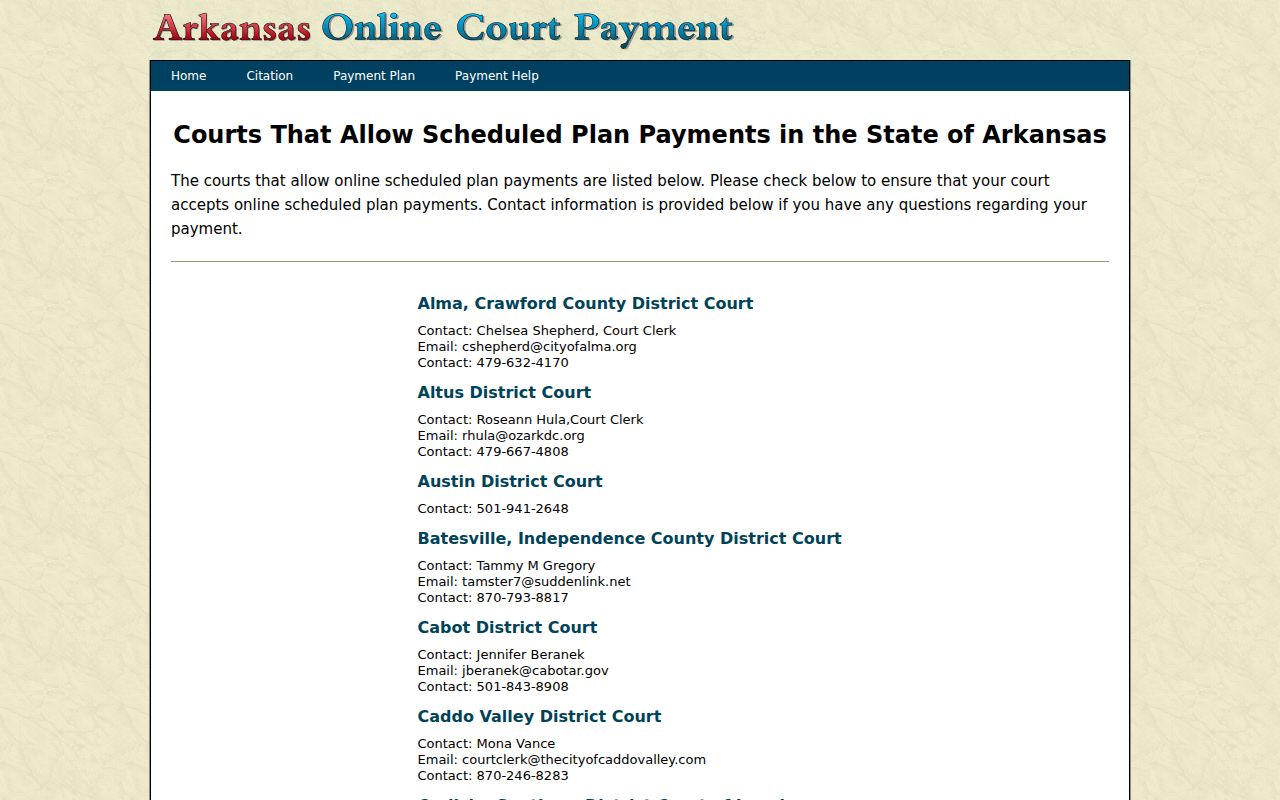
The listing ties the statewide portal to the local clerk. Use that clerk for a ticket too new to match, one that requires appearance, or one the system cannot find.
Montgomery County Traffic Court Options
Montgomery County does not advertise a set defensive-driving or deferred-disposition program. There is no published fee, deadline, or eligibility rule for one. Arkansas law lets a judge allow driver training in the right case. Yet nothing guarantees an online election. Before the response deadline passes, ask the District Court clerk. Ask what the court will actually do with your traffic ticket.
A missing button on a portal means nothing either way. The court decides which options exist and on what terms. Your citation, plea status, prior history, charge type, and any standing court order can all change the answer. Local instructions must come from the District Court itself.
Traffic Court Record vs Driving Record
Two different offices keep two different files. The Mount Ida District Court clerk holds the court case record tied to a Montgomery County citation, and that docket can show the charge, the parties by role, each event, the plea, the disposition, the sentence, fine, and payment entries. Your driving history is a separate matter. The Arkansas Department of Finance and Administration, Driver Services, keeps that state record.
- Court traffic record
- Kept by the Montgomery County District Court clerk. It shows the citation, charge, events, plea, disposition, sentence, and payment entries available in the case.
- Driving record
- Kept by Arkansas DFA Driver Services. It contains the separate state driving history and licensing data requested through DFA channels.
- Correct access route
- Use Search ARCourts or the District Court clerk for the court file. Use the official DFA request process for the driver file.
The official DFA Driver Services page identifies the second custodian.

The custody line stays narrow. A DFA record does not replace the court docket, and a docket printout does not replace an official DFA record.
Montgomery County Traffic Record Custody
The court that heard the citation controls the case file. The police agency or officer may show up as a participant. Neither one keeps the court record. The prosecutor and the judge cannot substitute for the clerk on docket sheets and ordinary filed-copy requests. Route record questions to Crystal Carlton's District Court office.
A felony charge belongs on the Circuit Court docket. District Court handles certain preliminary functions. When a District Court case is appealed, it moves into Montgomery County Circuit Court and generates higher-court activity. If the record says a matter was appealed, transferred, or remanded, search under both case numbers.
Copies and Fees
Traffic fines and costs depend on the case. Check the citation and eTraffic result, or call the clerk for the current total. The payment portal adds a processing charge and shows it during the transaction. There is no universal flat amount. Never reuse an old sample figure as a current fee schedule.
| Item | Amount or Status |
|---|---|
| Citation fine and court costs | Case specific; use citation, eTraffic, or clerk quote |
| eTraffic processing charge | Added and shown during the transaction |
| Deferred or defensive-driving fee | Not located in official Montgomery County sources |
| Plain or certified traffic record copy | Fee not published; call the District Court clerk |
Confirm the full amount and the accepted method before you pay. A copy fee is separate from the amount due on the citation.
Montgomery County Traffic Copy Requests
Requesting a docket sheet or a filed traffic item works best with specifics. Give the District Court clerk the exact case number, citation number, party name, entry date, and document label. Say whether a plain copy will do or the copy must be certified. Before mailing anything, ask about page count, price, accepted payment, return postage, and processing time.
Search ARCourts does not promise a downloadable image for every docket entry. Public-terminal availability and local copy fees are not published. The clerk's counter sits at 105 Highway 270 East, #2, Mount Ida. The phone is 870-867-2221. For checking a setting, the broader Montgomery County court dates process helps. The clerk remains the source for the traffic file itself.
Montgomery County Traffic Access Rules
Public access to traffic case information is governed by Arkansas Supreme Court Administrative Order 19. Protected identifiers and sealed material get excluded or redacted. A public case header does not open every document in the file.
Use the docket to track your own citation. Confirm the newest event. Spot a filed item. If a record does not appear, verify the court and the case number. Then ask whether the period is online or the item is restricted. A blank public result never erased the case.
Montgomery County Traffic Ticket Contact
Crystal Carlton's District Court office is the county's central contact for traffic settings, citations that have not posted, appearance-required charges, payment questions, and copy requests. The statewide payment list shows the email Tjl101@windstream.net, while the current Judiciary directory governs the officeholder text. When the two sources disagree on a detail, call and ask.
Mount Ida District Court Clerk
105 Highway 270 East, #2
Mount Ida, AR 71957
870-867-2221
Fax: 870-867-3695
Check the hearing location separately. District Court proceedings are held at 225 Fairground Road, not the clerk's numbered suite.